

 WhatsApp
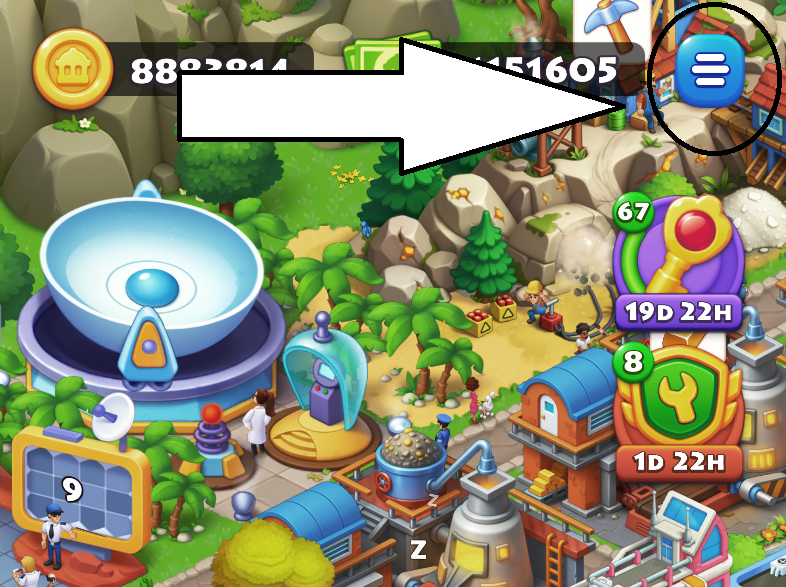
Open the Township menu
Tap the menu button in the upper-right corner of the game.
How do I buy a pack for my town?
First, I need you to create a new, empty Gmail account without personal information, where we will save your new town.
Go to Gmail and create the new email account. Choose a unique password, and make sure to record it accurately (upper- and lowercase letters, symbols, and so on).
Once you have the new account, sign out of Township and sign back in using the new Gmail account.
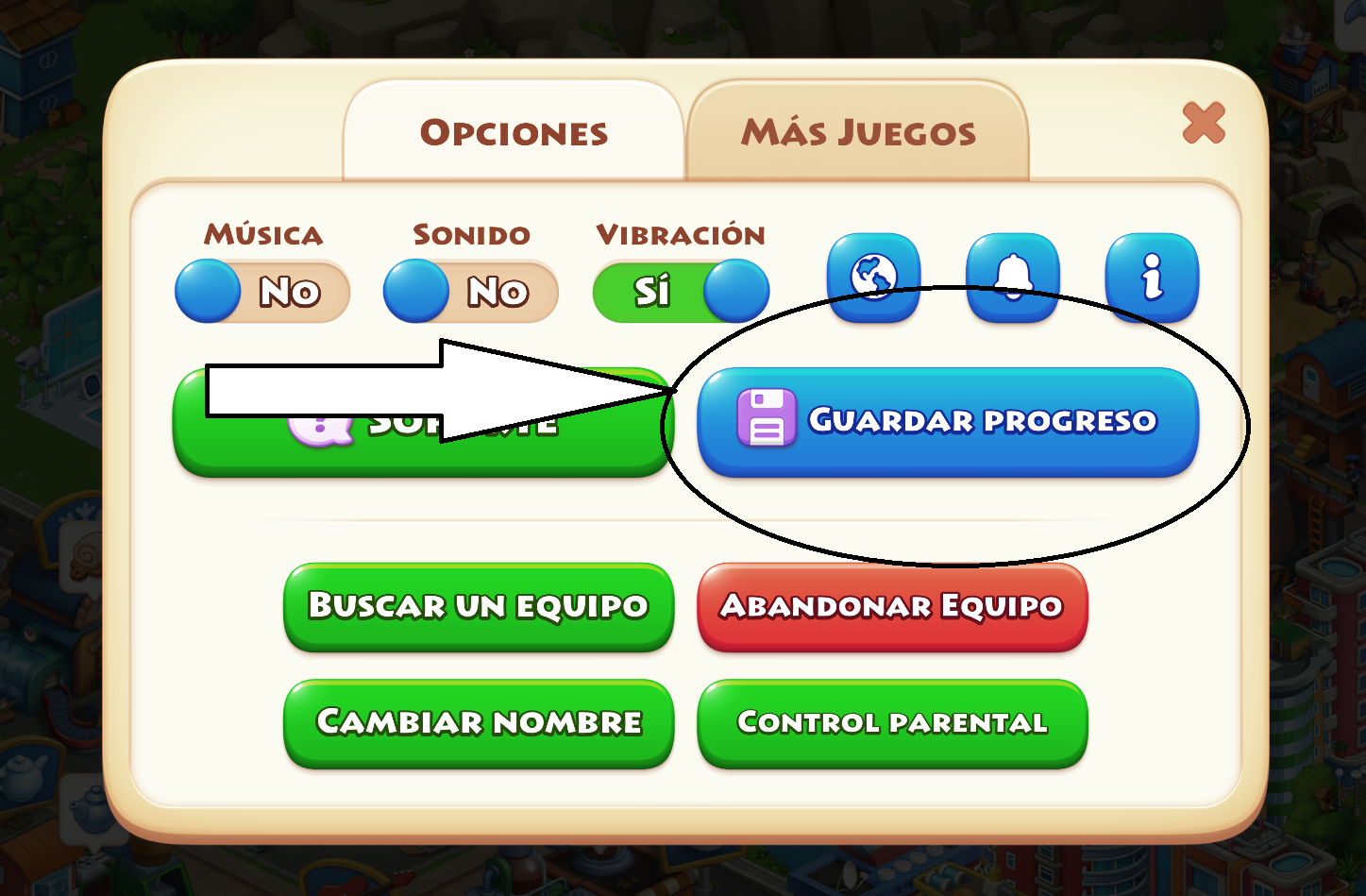
The screenshots show the Spanish-language game interface; the steps are the same.
Tap the menu button in the upper-right corner of the game.
In “Options”, tap “Save progress”.
Choose “Sign in with Google” and use your new Gmail account.
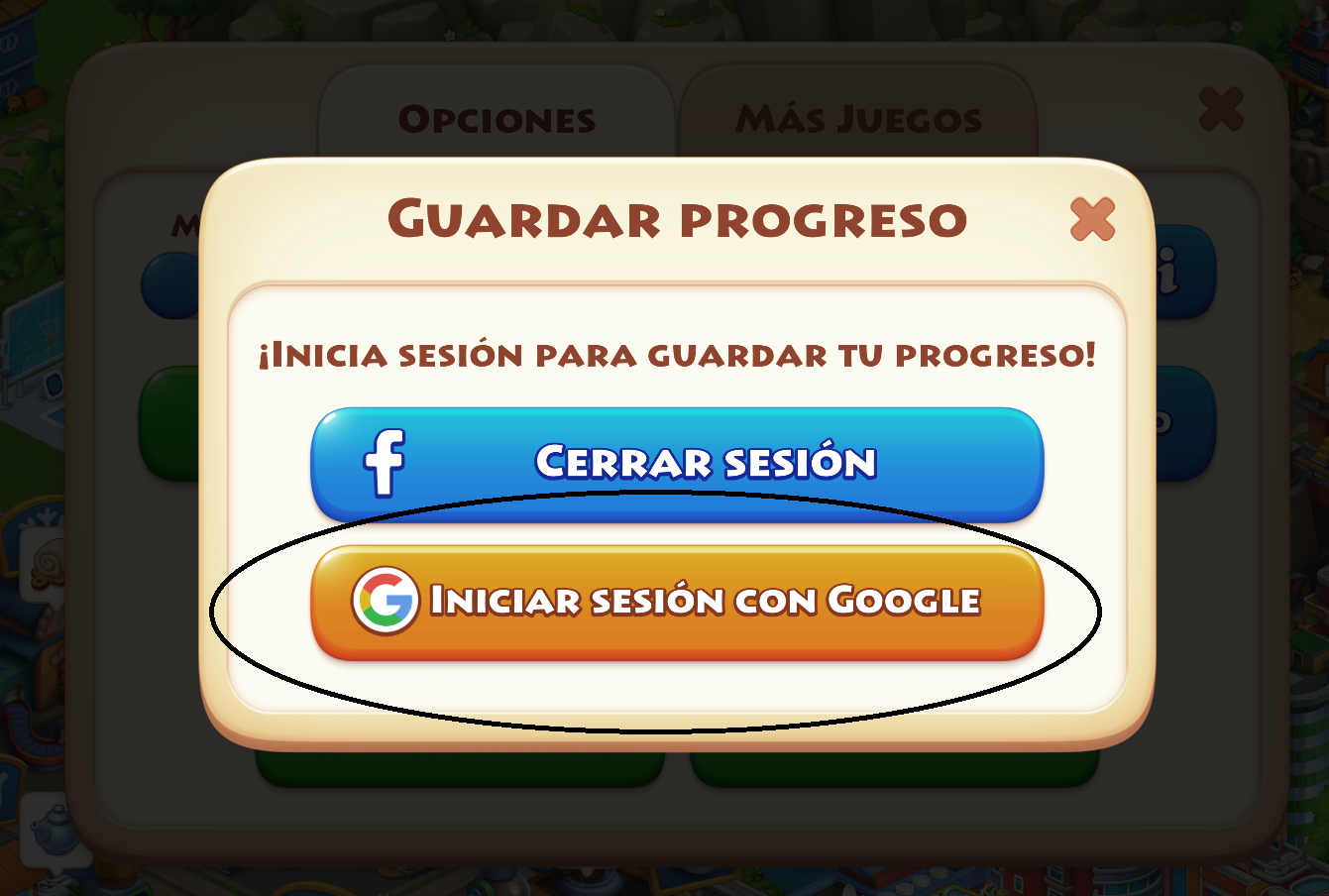
With this process, you will have saved your progress in the new Gmail account. Once complete, you will need to provide the credentials for the new Gmail account so I can start making changes or adding resources to your town.
I will ask you to close the game (only the game, not the session), and I'll tell you when I'm finished. If you open the game before the work is finished, the new progress could be lost.